Serialization & Deserialization in .NET — A Practical Guide to Choosing the Right Formatter
A developer-friendly breakdown of .NET serialization options with code snippets.

Serialization and deserialization are core concepts in any software system. In .NET, these processes allow us to convert objects into transferable formats (serialization) and reconstruct them back into objects (deserialization).
But not all formatters are created equal. Some are fast, some are human-readable, and some are now obsolete. Choosing the right one depends on your use case.
In this article, we’ll explore the main serialization options in .NET, compare them, and highlight where each fits best.
What is Serialization?
Serialization → Converting an object into a format (binary, XML, JSON, etc.) so it can be stored or transmitted.
Deserialization → Rebuilding the object from that format.
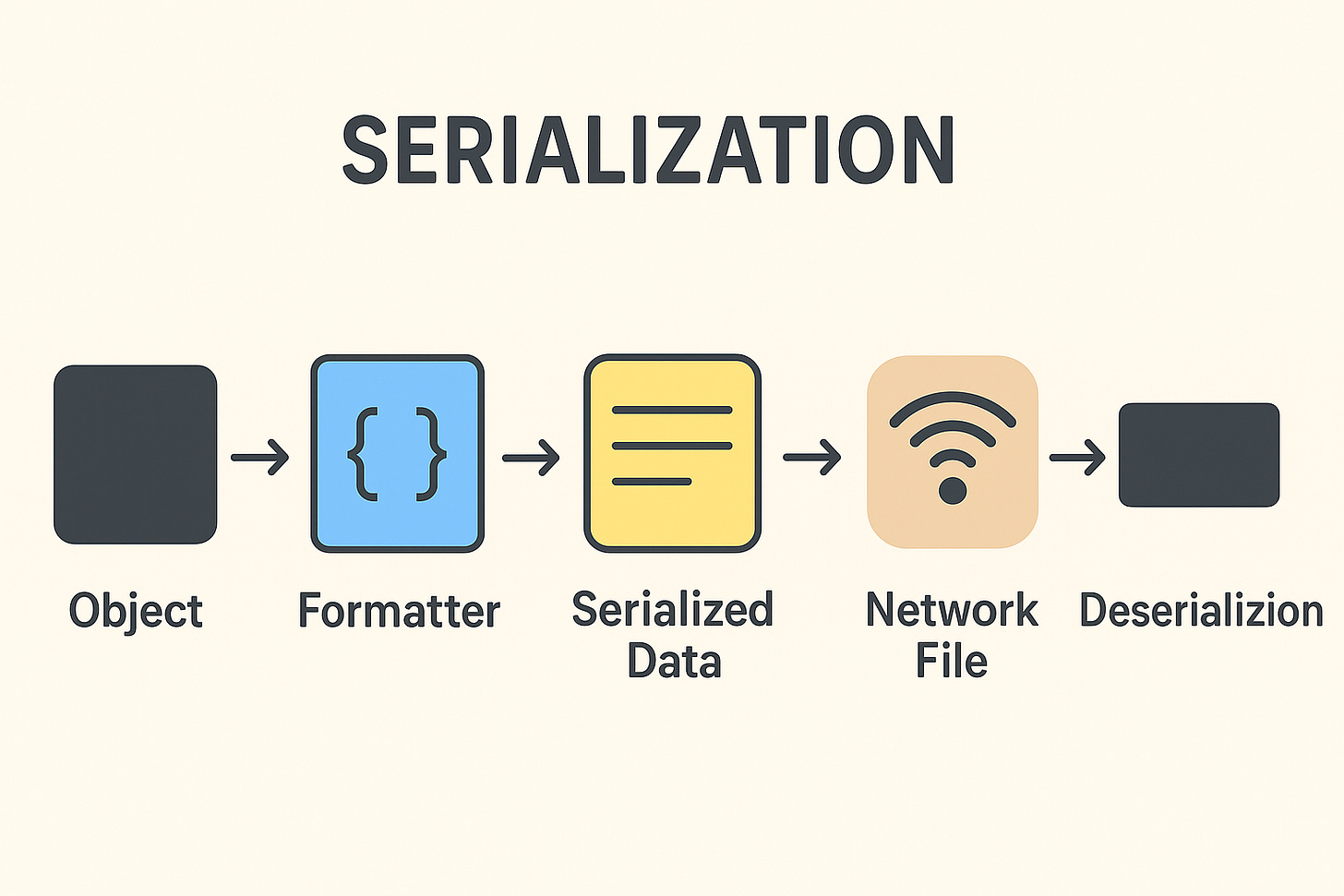
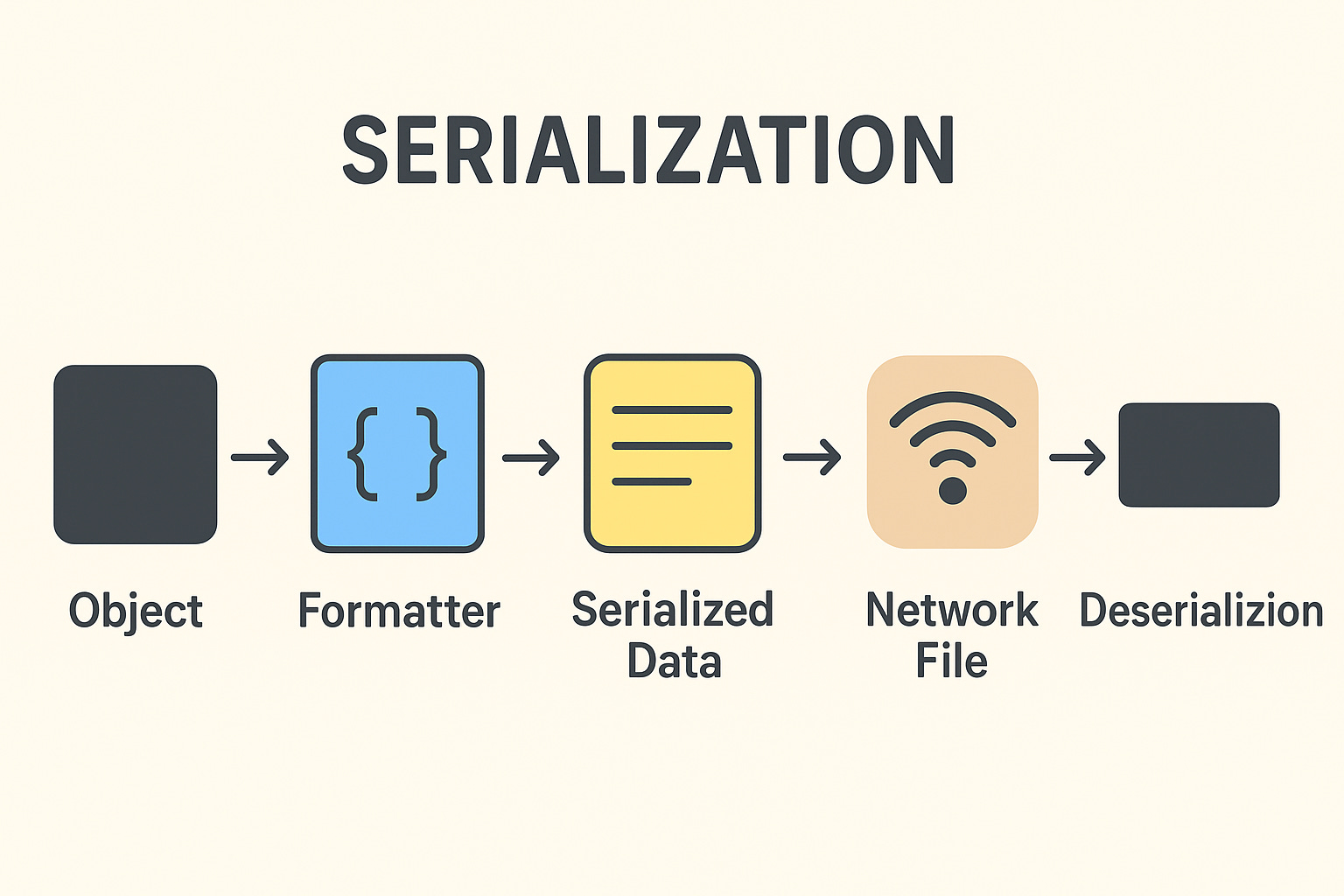
Think of it like packing and unpacking luggage. The way you pack depends on where you’re going — suitcase, backpack, cargo container. Similarly, different formatters are suited to different scenarios.
1. BinaryFormatter (Obsolete in .NET 5+)
Description: Converts objects into a binary format.
Use Case: Historically used for persisting objects or remoting.
var formatter = new BinaryFormatter();
formatter.Serialize(stream, obj); // Serialize
var obj = (MyClass)formatter.Deserialize(stream); // Deserialize
Pros:
Compact representation.
Supports complex object graphs (including circular references).
Cons:
Obsolete and insecure (prone to remote code execution).
Not cross-platform friendly.
Alternatives: Use System.Text.Json, Json.NET, or Protobuf.
2. XmlSerializer
Description: Serializes objects into XML documents.
Use Case: Interoperability with systems that use XML (SOAP, config files).
var serializer = new XmlSerializer(typeof(MyClass));
serializer.Serialize(stream, obj); // Serialize
var obj = (MyClass)serializer.Deserialize(stream); // Deserialize
Pros:
Human-readable.
Great for legacy web services (SOAP/WCF).
Supports schema validation.
Cons:
Larger output size compared to binary/JSON.
Limited support for private fields/properties.
Slower than binary or JSON.
3. DataContractSerializer
Description: Used in WCF (Windows Communication Foundation) for XML serialization.
Use Case: Service communication where [DataContract] attributes define serialization.
var serializer = new DataContractSerializer(typeof(MyClass));
serializer.WriteObject(stream, obj); // Serialize
var obj = (MyClass)serializer.ReadObject(stream); // Deserialize
Pros:
Fine-grained control with
[DataContract]and[DataMember].Handles circular references.
Cons:
XML is verbose.
Requires explicit contracts for complex types.
4. JsonSerializer (System.Text.Json in .NET Core/5/6/7/8)
Description: Built-in high-performance JSON serialization.
Use Case: REST APIs, web apps, config files.
var json = JsonSerializer.Serialize(obj); // Serialize
var obj = JsonSerializer.Deserialize<MyClass>(json); // Deserialize
Pros:
Fast and lightweight.
Built-in in .NET Core+.
UTF-8 optimized.
Supports immutable types, records, and custom converters.
Cons:
Fewer advanced features compared to Newtonsoft.Json.
Stricter handling of casing, nulls, etc.
5. Newtonsoft.Json (Json.NET)
Description: Third-party JSON serializer/deserializer.
Use Case: Widely used in ASP.NET (before System.Text.Json).
var json = JsonConvert.SerializeObject(obj); // Serialize
var obj = JsonConvert.DeserializeObject<MyClass>(json); // Deserialize
Pros:
Feature-rich (LINQ to JSON, flexible converters).
Mature and widely adopted.
Handles polymorphism and complex scenarios easily.
Cons:
Slower than
System.Text.Jsonin high-performance scenarios.Extra dependency (not built-in).
6. NetDataContractSerializer
Description: Similar to DataContractSerializer but includes CLR type information in XML.
Use Case: Used when exact .NET types need to be preserved.
var serializer = new NetDataContractSerializer();
serializer.Serialize(stream, obj); // Serialize
var obj = (MyClass)serializer.Deserialize(stream); // Deserialize
Pros:
Restores exact object types.
Cons:
Tight coupling to .NET types (not interoperable).
Bigger payload size.
7. Protobuf (protobuf-net in .NET)
Description: Uses Google’s Protocol Buffers binary serialization format.
Use Case: High-performance serialization for distributed systems, gRPC.
Serializer.Serialize(stream, obj); // Serialize
var obj = Serializer.Deserialize<MyClass>(stream); // Deserialize
Pros:
Extremely compact and fast.
Cross-platform, language-neutral.
Great for APIs and microservices.
Cons:
Requires pre-defined schema.
Not human-readable.
8. MessagePack
Description: A fast, compact binary serialization format.
Use Case: High-performance systems, games, networking.
var bytes = MessagePackSerializer.Serialize(obj); // Serialize
var obj = MessagePackSerializer.Deserialize<MyClass>(bytes); // Deserialize
Pros:
Faster and smaller than JSON.
Native .NET support (
MessagePack-CSharp).
Cons:
Not human-readable.
Requires schema awareness for best results.
Quick Insights
Don’t use BinaryFormatter – it’s insecure and obsolete.
System.Text.Json → Best for most modern .NET APIs.
Newtonsoft.Json → Best for advanced JSON scenarios.
Protobuf / MessagePack → Best for high-performance cross-platform apps.
XML-based serializers → Still useful in legacy systems.
With this knowledge, you can choose the right serializer for your project — balancing speed, readability, and compatibility.